

Posted by L’équipe Ameublement à rabais
on October 23, 2026

Last updated: October 23, 2026
Quick Summary
To organize your desk effectively, start by decluttering your space by sorting items into categories, then create zones based on your daily use. Use boxes, organizers, and furniture with built-in storage to maximize space and maintain order with a simple weekly routine.
- First, sort items into categories: pens, documents, electronic devices, then assess what you really need.
- Divide your desk into zones: computer, supplies, documents, personal items, based on how you work.
- Use the four-bin method for mail: to process, to file, to scan, to recycle.
- Install wall shelves 45 to 60 centimeters above the desk to free up the work surface.
- Label and group your cables with reusable ties, then secure them along the edges out of the work area.
Table of Contents
- Decluttering Your Desk: The First Step Toward Organization
- Use Boxes and Organizers to Store Supplies
- Organize Desk Papers and Mail Effectively
- Small Desk Setup: Maximize Vertical Space
- Desk Storage Furniture: Multifunctional Solutions
- Manage Cables and Computer Equipment
- Frequently Asked Questions
Decluttering Your Desk: The First Step Toward Organization
Before thinking about organizing your desk, you need to clean it out. A cluttered space slows down productivity and creates stress: sort through what deserves a place on your desk.
Assess each item: do you really use it? If not, it is only taking up space.
Sort by Categories and Assess What Is Essential
Sorting by categories makes decluttering less overwhelming: group pens, documents, and electronic devices separately.
Then assess what you really need: throw away dead pens, archive or discard old documents, and eliminate orphaned cables. This step reduces volume even before you start organizing.
Pro Tip
Keep a donation bin nearby while sorting. Items in good condition that are no longer used may be useful to someone else.
Create Storage Zones Based on Use
After sorting, think about how you work: items you use daily should remain within reach, while items you use occasionally can be stored further away.
Divide your space into zones: computer, supplies, documents, personal items.
Use Boxes and Organizers to Store Supplies
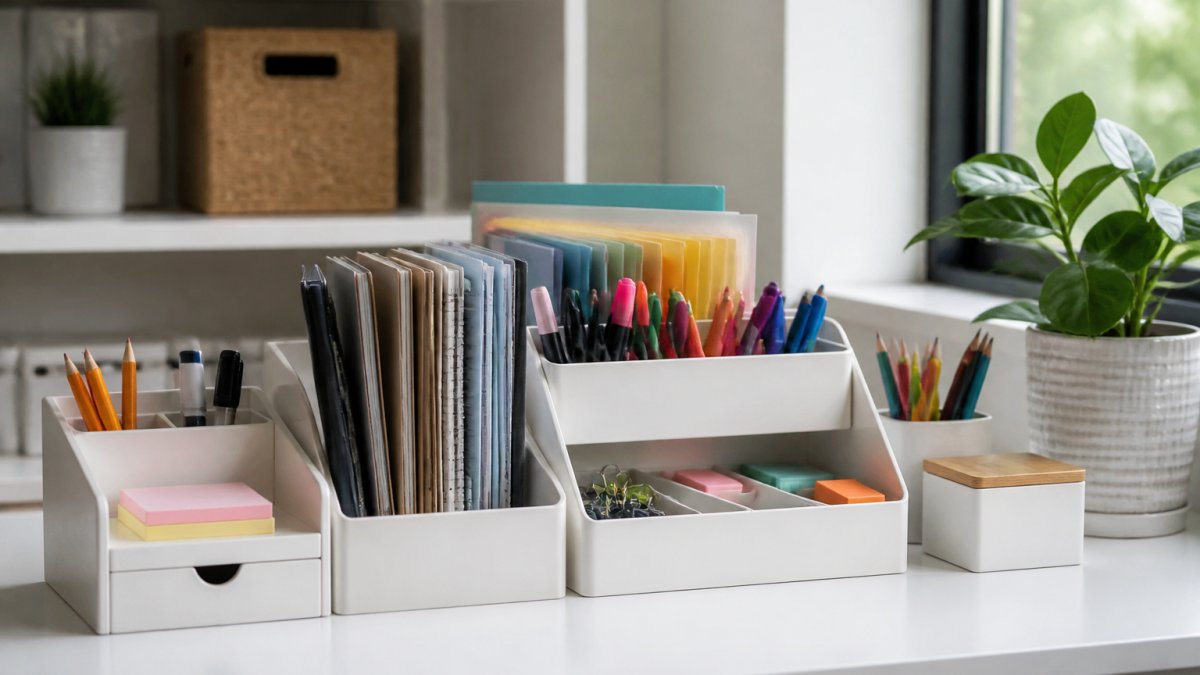
Desk boxes and organizers create separate compartments for each type of item, making storage faster.
Choose the Right Containers Based on Available Space
The size of your desk determines the containers: a small desk requires compact solutions such as vertical pen holders or small stackable boxes.
Measure your space before buying: containers should fit without overcrowding the surface. At Ameublement à rabais, the modern computer desk with shelves in white offers built-in storage that maximizes space.

In terms of material, clear plastic lets you see the contents, while wood or metal complements a formal décor, and acrylic offers a sleek look.
Keep Small Accessories Within Reach
Small accessories (pens, highlighters, sticky notes, paper clips) should remain accessible: a pen holder or desk organizer keeps them close at hand.
Separate accessories in shallow compartments or drawers: one for pencils, one for markers, and one for adhesive items.
Key Point
Organizing small accessories saves time every day.
Organize Desk Papers and Mail Effectively
Paper is the main source of clutter on a home desk. Without a system, piles accumulate and important documents get lost.
A Four-Bin Sorting Method for Mail
The simplest method is to process mail as it arrives, standing up, using four bins or folders:
- To process today: bills to pay, forms to sign, replies to send.
- To file: documents to keep but that require no immediate action (statements, contracts, warranties).
- To scan: papers you want a digital copy of before recycling the original.
This method separates the decision (keep, act, scan, discard) from filing, which prevents the “to file later” pile.
Decide What to Keep, File, or Discard
For each document, ask three questions:
- Is there an action to take? If so, it goes in “to process,” and you set a deadline.
- Do I need to keep it for a specific reason? Warranty, taxes, lease agreement, proof of purchase. If the answer is no, it goes to recycling or the shredder.
- Do I consult it more than once a year? If not, it goes in the archives, not the active filing cabinet.
For tax documents and contracts, check the applicable time limits for your situation before discarding anything.
Set Up a Simple Filing System
An effective filing system relies on clear and limited categories: finances, ongoing projects, administrative documents, references.
Use magazine files or mail organizers: one section for documents to process, another for archives.
File regularly: five minutes a week is enough to file new documents and prevent accumulation.
Pro Tip
Keep a shredder near the desk.
Complement Paper Filing with Digital Storage
Most documents also arrive by email or through a portal. To prevent paper clutter from becoming digital clutter:
- Create a simple folder structure on your computer (for example: Finances, Projects, Administrative, References) and file each file as soon as you download it.
- Name files with a date in YYYY-MM-DD format followed by a clear label (for example: 2026-10-23 hydro bill).
- Empty the “Downloads” folder every week: what needs to be kept goes into the folder structure, the rest is deleted.
This dual organization, paper and digital, distinguishes a truly organized desk from one that simply looks tidy.
Use a Mobile Filing Cabinet for Flexibility
A mobile filing cabinet offers movable storage.
Casters make cleaning and reorganizing easier, and two casters with locks keep the cabinet in place.
The top surface of the cabinet can hold a printer or serve as additional workspace. Some models, such as the Mobile Filing Cabinet with Charging Station, even offer built-in power outlets to plug in your devices.
Caution
Maintain a reasonable capacity and regularly purge archived documents.
Small Desk Setup: Maximize Vertical Space
In a small space, make use of vertical space: walls offer storage that many overlook.
65-inch Desk with Storage and Outlets, White and Brown →
Install Shelves and Wall Storage
Wall shelves free up the work surface and are suitable for books, binders, and infrequently used supplies.
Install shelves at a comfortable height, generally between 45 and 60 centimeters above the desk, to access them easily without overcrowding the space.
Wall-mounted magazine files take up little space and keep current documents visible and accessible, as do wall-mounted mail organizers.
Choose a Desk with Built-In Storage
A desk with built-in storage maximizes every inch. At Ameublement à rabais, the Computer Desk with bookcase, lockable drawer, and file storage combines workspace and vertical storage.
The 360° swivel corner desk with 3-level shelves offers flexible layout options. You can configure it in an L-shape to maximize space or as a straight unit depending on your needs. Its side shelves organize books, accessories, and computer equipment.
For very small spaces, the black and white folding wall desk folds up when not in use. Its top closes discreetly, completely freeing up the room.
Desk Storage Furniture: Multifunctional Solutions
Multifunctional storage furniture organizes your belongings, creates distinct work zones, and improves the look of the space.
Mobile Filing Cabinets with Built-In Charging Outlets
Some modern filing cabinets include power outlets and USB ports, turning the cabinet into a charging station.
The Mobile Filing Cabinet with Charging Station from Ameublement à rabais combines eight storage zones with two electrical outlets, one USB port, and one USB-C port: your devices stay charged without extra cables on the desk.
Three drawers, two open shelves, and three side compartments separate documents, books, supplies, and accessories, and the large top surface accommodates a printer or scanner.
Desks with Bookcases and Open Compartments
A desk with a built-in bookcase creates a complete workspace. The modern white computer desk with storage shelves offers six open shelves for books, plants, and essentials.
These desk-bookcases are ideal for small spaces: they keep references close at hand without the need for additional furniture.
The 65-inch desk with storage and outlets in white and grey-brown offers a different approach: two drawers, a cabinet with an adjustable shelf, and an open shelf accommodate books and supplies. The filing drawer features adjustable rails for A4 and letter-size hanging files. Two power outlets and built-in USB ports keep cables organized directly on the desk.
Manage cables and computer equipment
Cables quickly create visual and functional clutter. Organizing them prevents tangles and makes troubleshooting easier.
A four-step method for taming cables
- Unplug and identify. Unplug each cable one at a time and label it with tape or a label: “monitor,” “printer,” “laptop charger.” You’ll know immediately where each cable goes the next time you need to troubleshoot.
- Group by path. Cables that run from the desk to the wall outlet form one bundle; those that stay on the desk form another. Group them with reusable ties or storage clips.
- Secure along the edge. Adhesive clips or cable sleeves secure wires along the edge of the desk or wall, out of the work area.
- Hide under the desk. Cable storage boxes or baskets mounted under the desktop keep wires out of sight and out of the way.
Once labeled and grouped, a cable is no longer a problem.
Choose the right cable management accessories
Not all accessories are suitable for every situation:
- Reusable ties: for bundles that change frequently (charger cables, headphones).
- Cable sleeves: for grouping several wires running along a wall or desk leg.
- Adhesive clips: for holding a cable along a surface without drilling.
Plan the outlet layout from the start
Cable management begins before you buy: a model with built-in outlets and ports reduces the need for extension cords on the floor.
If you need to use a power strip, secure it under the desk or against the wall rather than leaving it on the floor. You’ll free up space and reduce the risk of tripping.
Pro Tip
Group devices that charge together. Keep your phone, smartwatch, and headphones near the same outlet to centralize charging and limit the number of cables on the desk.
Store computer equipment and accessories
Equipment (mouse, keyboard, external drive, adapters) also clutters the desk. Here are a few principles:
- Keep only the equipment you use daily on the desk. Store the rest in a drawer or dedicated box.
- Use a shallow drawer for small computer accessories (adapters, USB flash drives, short cables) and separate them by type.
- Store spare cables in a clearly labeled container, with a label indicating the type of cable.
Create a maintenance routine to keep things tidy
Organization is an ongoing process: a simple routine keeps your desk tidy without excessive effort.
Every Friday, take ten minutes to put pens back in place, file away documents, and empty the trash. This habit prevents clutter from accumulating.
Organize your digital files too: use clear folders, consistent names, and regular archiving.
Clean your space regularly: wipe down surfaces, dust shelves, and clean the screen.
Frequently Asked Questions
How can I effectively declutter my home office?
Start by sorting your belongings into three categories: keep, donate, or discard. Keep only what you use regularly. Then, assign a specific place for each item based on how often you use it. Everyday items stay close at hand, while archived documents go into binders or storage boxes. This approach creates a solid foundation for organizing your workspace.
What desk storage is best for small spaces?
For a small office, choose vertical furniture such as wall shelves or a desk-bookcase. A mobile filing cabinet stores documents without taking up floor space. The $131.99 black-and-white folding wall desk offers a compact solution that folds away when not in use. Rotating corner desks also maximize space by utilizing the corners of the room.
How can I organize papers and office supplies?
Use a simple filing system with hanging folders for important documents. Group pens, highlighters, and small accessories in pen holders or clear storage boxes. A mobile drawer filing cabinet lets you store papers and supplies in one place that is easy to move if needed. Label each compartment so you can quickly find what you need.
What are the benefits of a desk with built-in storage?
A desk with built-in storage combines workspace and storage in a single piece of furniture, saving valuable space. Drawers, shelves, and compartments allow you to store documents, supplies, and accessories right next to your work area. This reduces clutter on the desktop and improves productivity. Models like the $247.99 65-inch desk with storage offer multiple storage areas and built-in outlets.
How can I keep my desk storage tidy every day?
Establish a weekly routine: put each item back in its place, sort through unnecessary papers, and wipe down surfaces. Keep a tray for items to be processed or filed. This simple habit prevents clutter from accumulating and keeps your workspace functional and pleasant.

